Hoq for the office
Email on your own domain, documents and spreadsheets, a shared drive, printing, scanning, signatures and phones. Whatever you save in any of them lands in the same Hoq Storage drive.
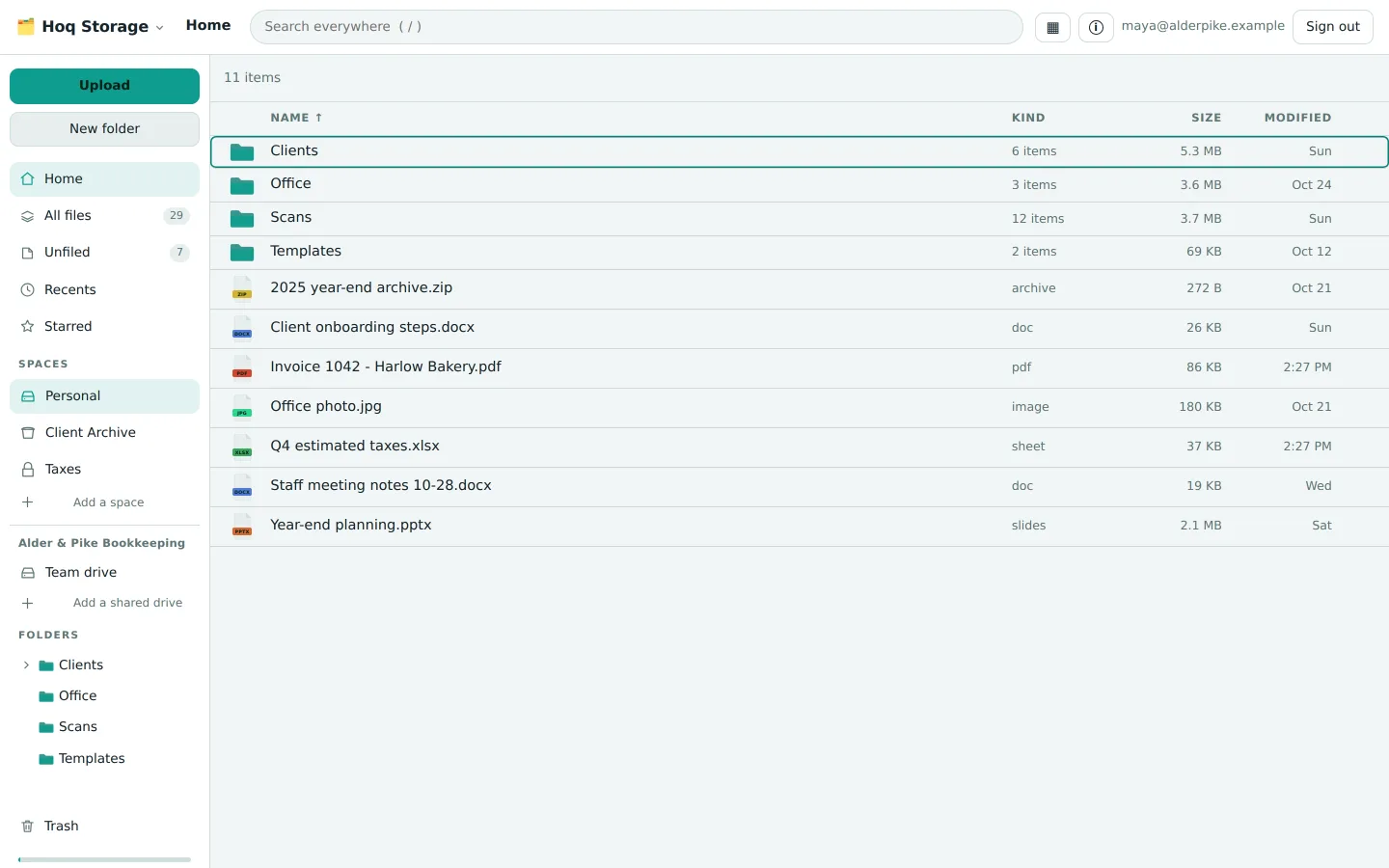
A day in the office
Each part of the day, and the app that handles it.
Mail
Mailboxes on your own domain, each with a calendar, contacts and a drive. Use the web app or any mail app. An iPhone or Mac sets up Mail, Calendar and Contacts from one profile.
The post
Scan the morning's letters once. Intake reads each one just enough to decide where it belongs and files it into a folder of your drive, following rules you write. There is no inbox to empty.
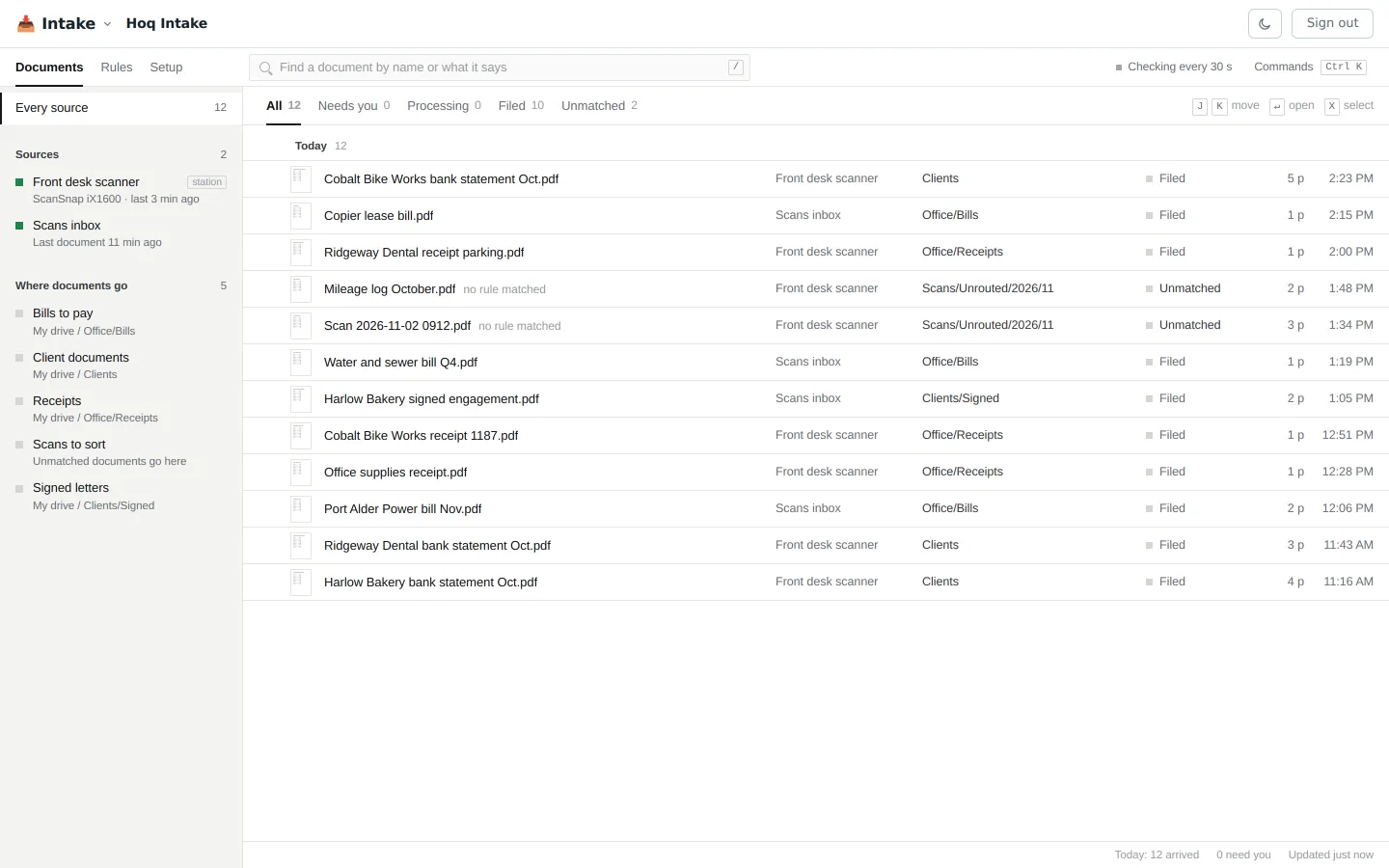
Scans from the front desk filed into client, bill and receipt folders by rules. Two that matched no rule went to a folder for sorting. A letter and a budget
Write in Hoq Documents and work out numbers in Hoq Sheets, in the browser. They open Word and Excel files, and each Ctrl+S saves a new version in your drive.
Printing
Print to a name such as Office letter instead of a particular printer. The job goes to the first printer that is ready and has the right paper, and it never prints twice.
PDFs
Open a PDF from your computer without uploading it. Reorder pages, mark it up, fill in forms or redact, and save it to your drive only when you choose.
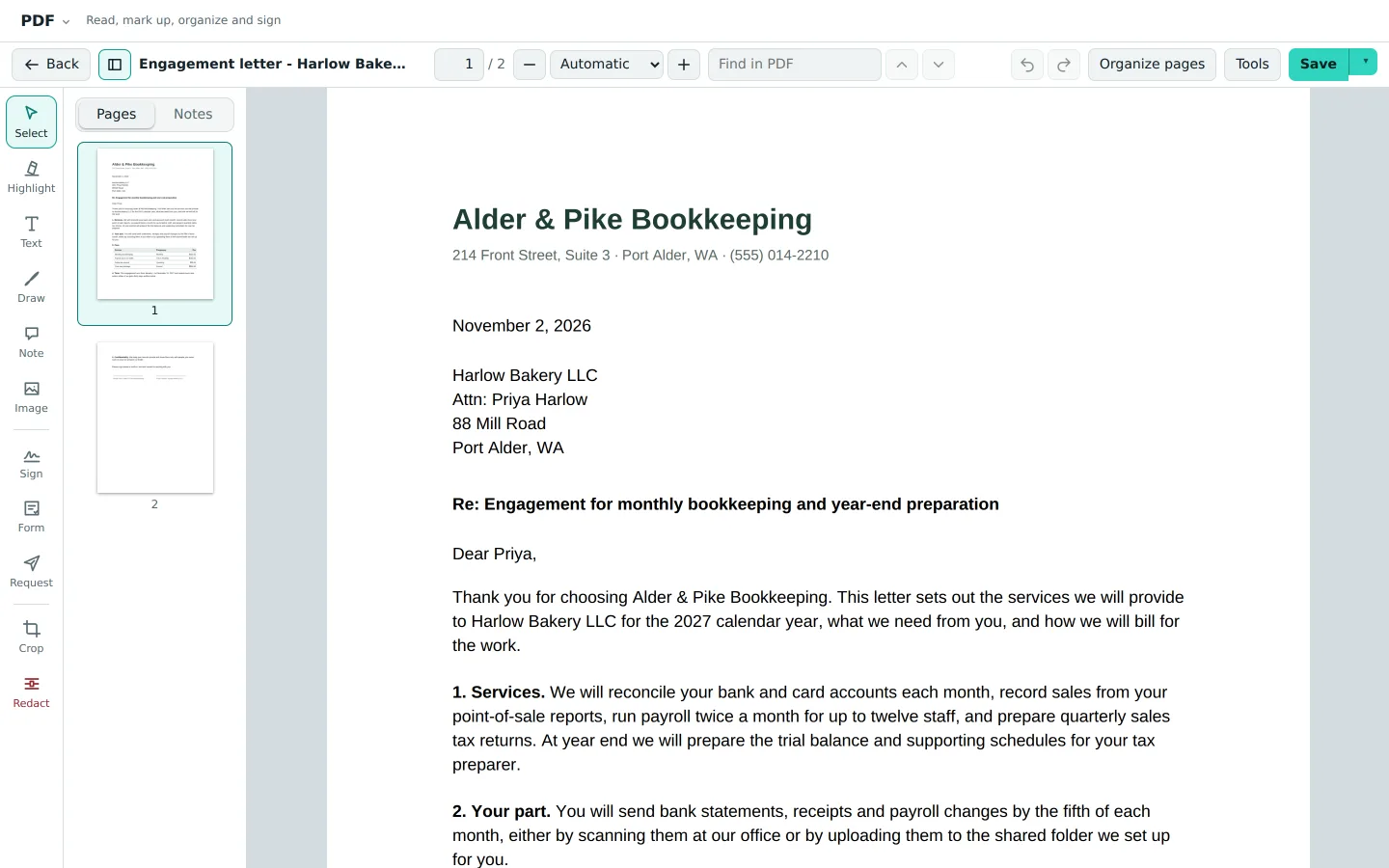
A client letter open in Hoq PDF, with page thumbnails and markup tools. A contract
Open the PDF, place the fields and send it through Hoq Sign. Signers need no account. The finished file carries a certificate of completion and a digital seal, and is saved next to the original.
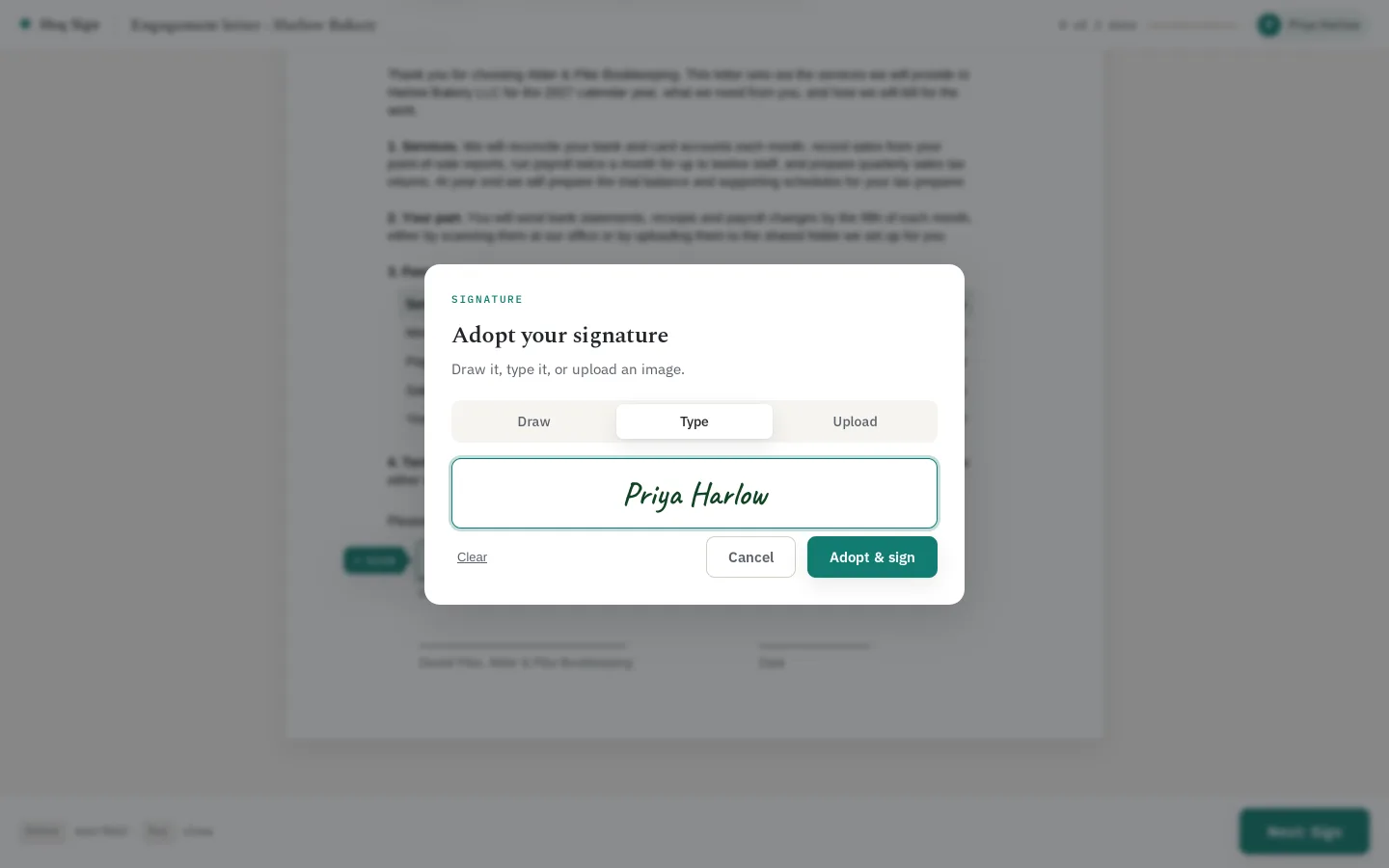
A client typing their signature before signing an engagement letter. Calls
Business numbers, a call menu you edit as a draft before callers hear it, and phones in the browser, on the desktop or on a desk phone. Voicemail is transcribed and emailed. Hoq Phone is open to businesses we have invited for now.
Sharing files
Share a file by link, with a password and an expiry if you want them. Or send a link someone can use to drop files into one of your folders without seeing what is already there.
The apps on this page
Each app works on its own. To link two, open one and pick the other from a list.
- Hoq Email LiveMailboxes on your domain, with calendars, contacts and a drive on every account.
- Hoq Documents LiveWord documents in your browser, saved as versions in your own drive.
- Hoq Sheets LiveExcel spreadsheets in your browser, saved as versions in your own drive.
- Hoq Storage LiveOne drive for every Hoq app, on our storage or your own bucket.
- Hoq PDF LiveRead, mark up, organize, redact and send PDFs from your browser.
- Hoq Print BetaPrint to a name, from any app or computer, to the first ready printer.
- Hoq Intake LiveScan once. Your rules file each document into the right folder of your drive.
- Hoq Sign BetaSend a PDF for signature, get back one sealed copy with its audit trail.
- Hoq Phone BetaBusiness numbers, call flows and a softphone, with transcripts and summaries.