Hoq for field service
Leads, quotes, the dispatch board, the tech's phone, invoices and every unit's service history live in Hoq Service. Time cards and payroll files come from Hoq Crew, and the books from Hoq Books. It is set up for small trades such as backflow testing, HVAC and electrical work.
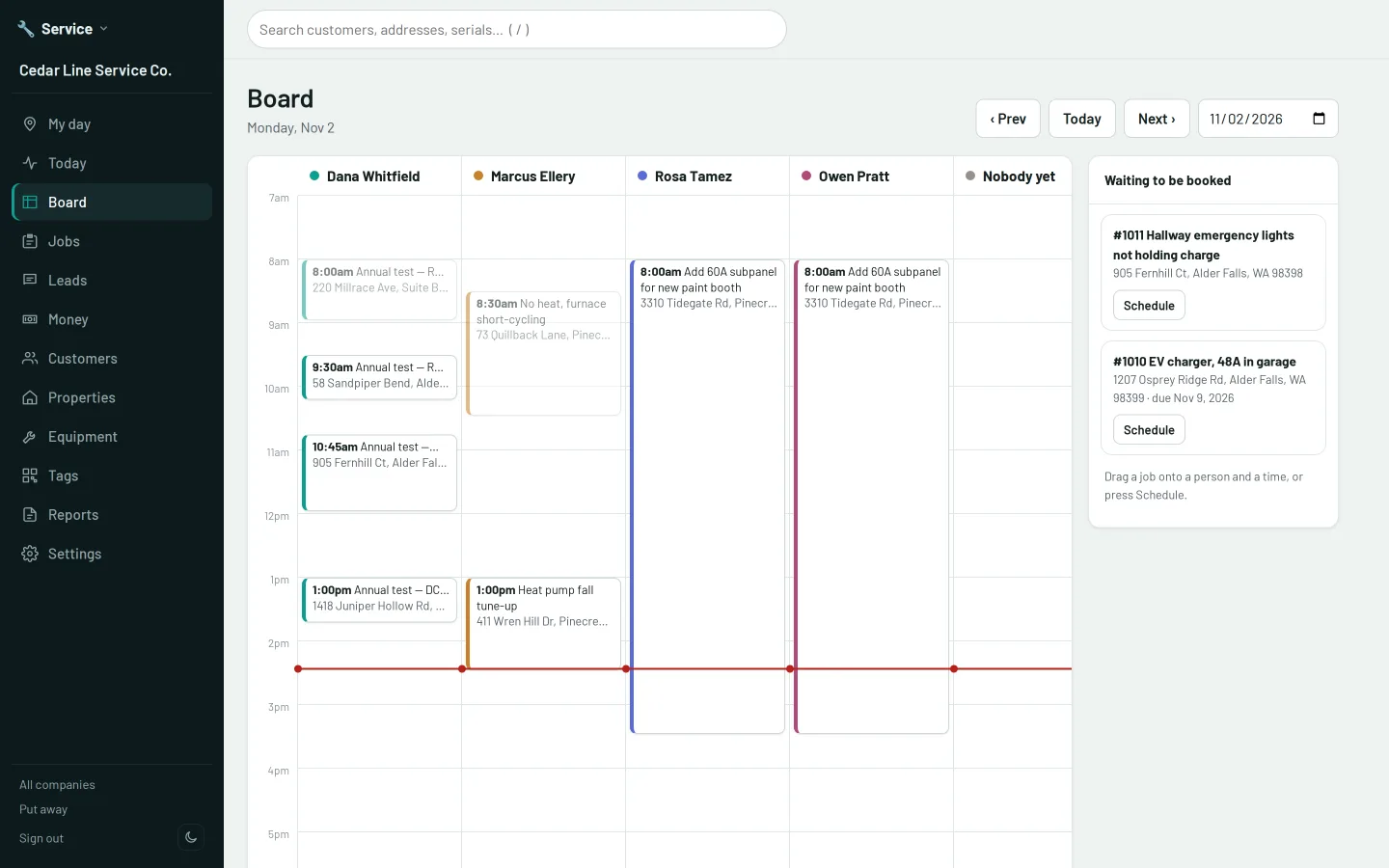
A day on the road
Each part of the day, and the app that handles it.
Clock in
Techs clock in from their phone and pick the visit they are booked on. Crew records where the phone was and flags a punch made away from the job without refusing it.
The board
Book visits by dragging them onto a person and a time. Clashes and missing certifications are flagged, and each tech sees their own day on their phone.
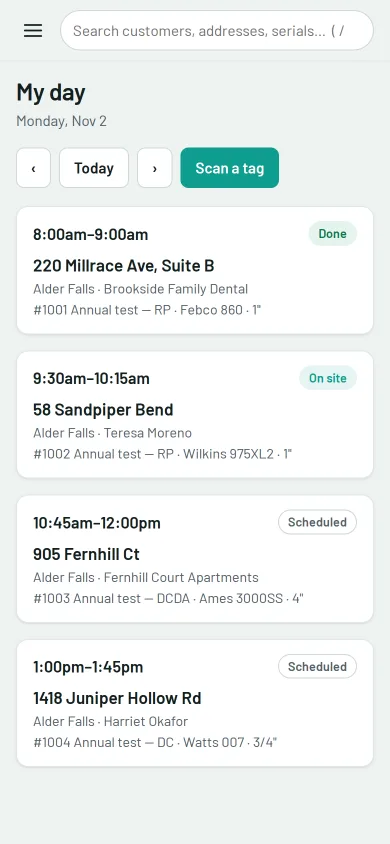
A tech's day on a phone: four backflow tests in time order, done, on site or still to come. On site
The tech's day runs on their phone: On my way, the units at the visit, readings, photos and the customer's signature. It works without signal and sends everything when signal returns.
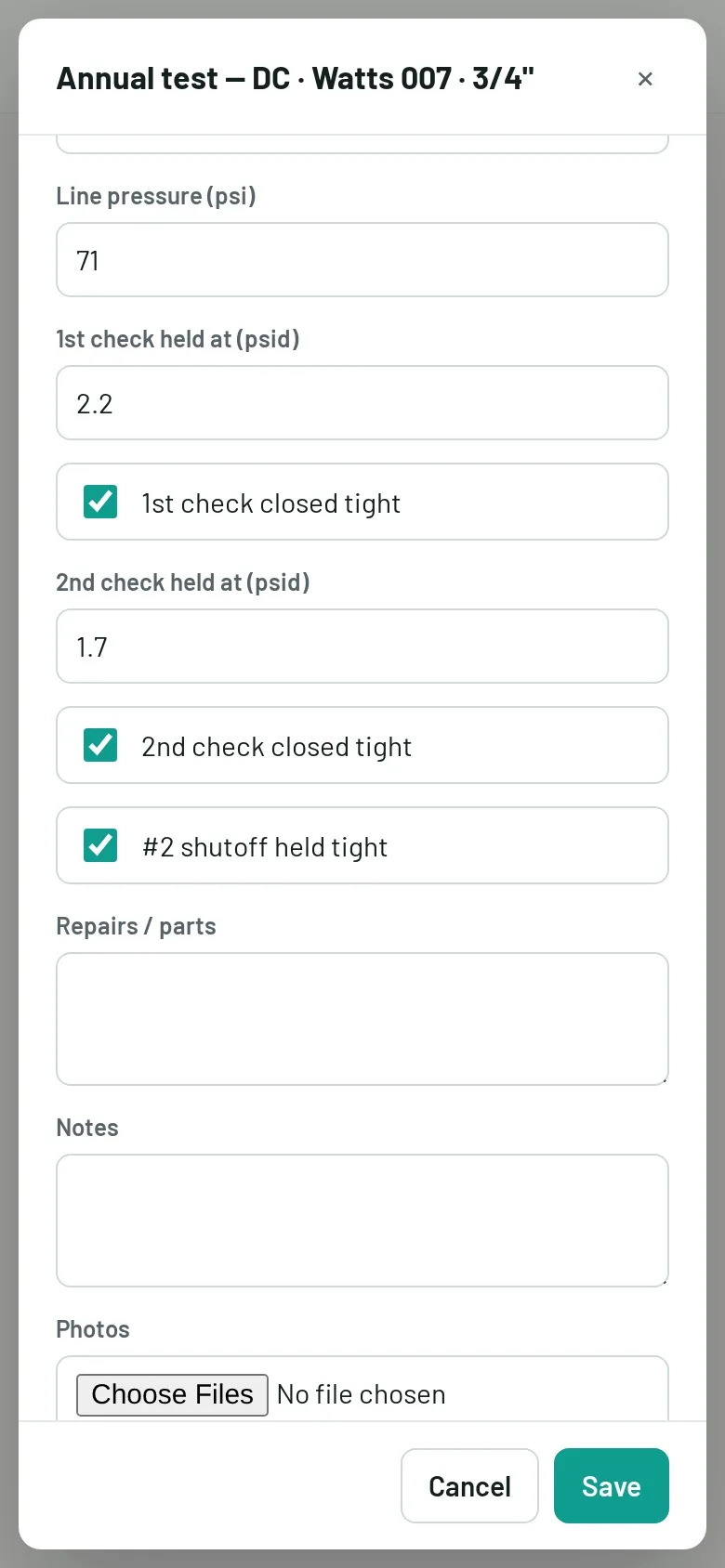
A tech enters the readings from an annual backflow test, saves it and marks the visit done. Test results
Each unit keeps every test, service and repair, and when it is next due. A failed backflow test is due again straight away. Each test result makes a report for the water district, which you can email in one tap.
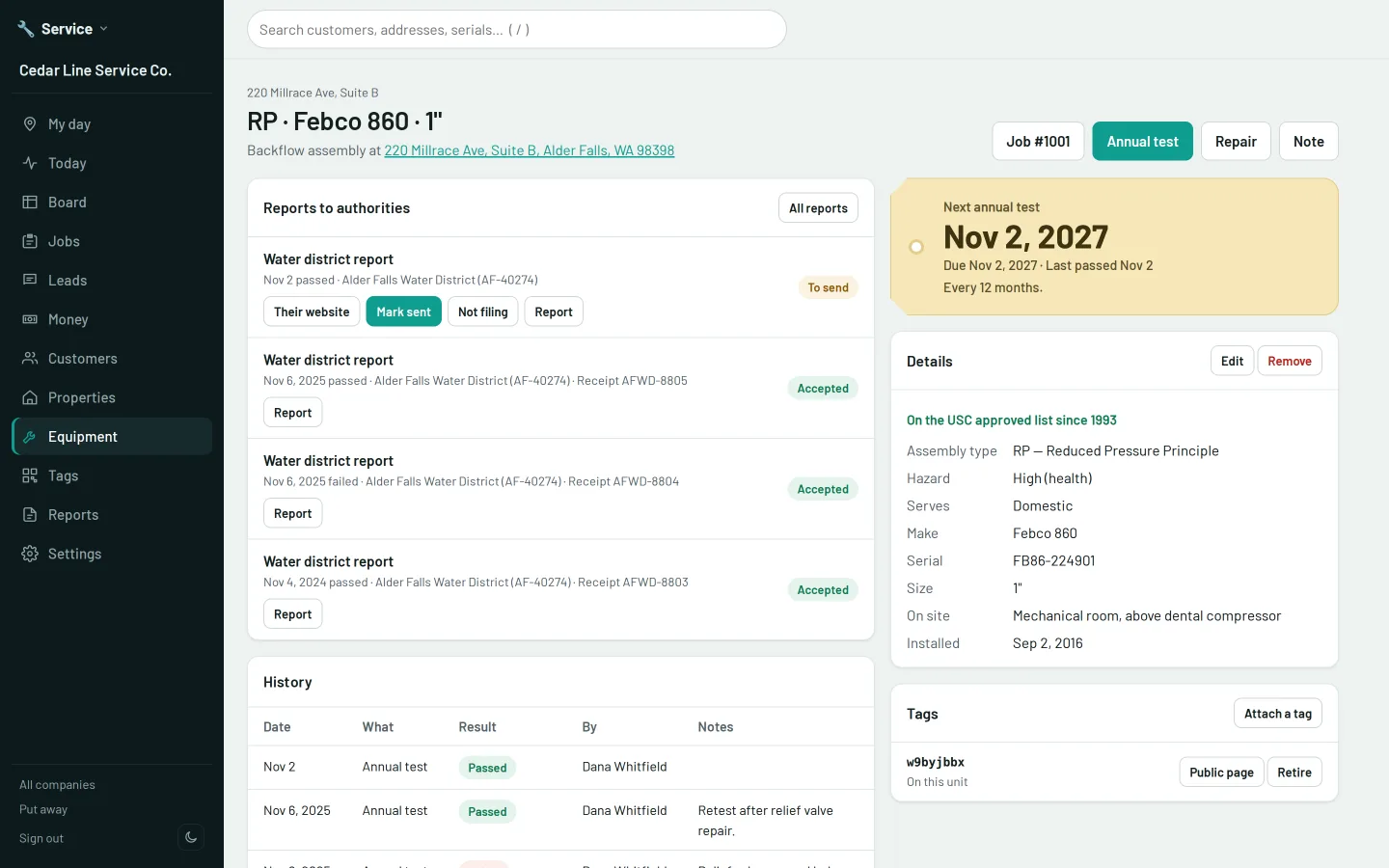
A backflow assembly with its next test date, its reports to the water district and its test history. A new lead
A request from the form on your website becomes a lead in Service, with nothing to retype. Hoq Forms runs the rest of your website's forms too, and keeps spam out.
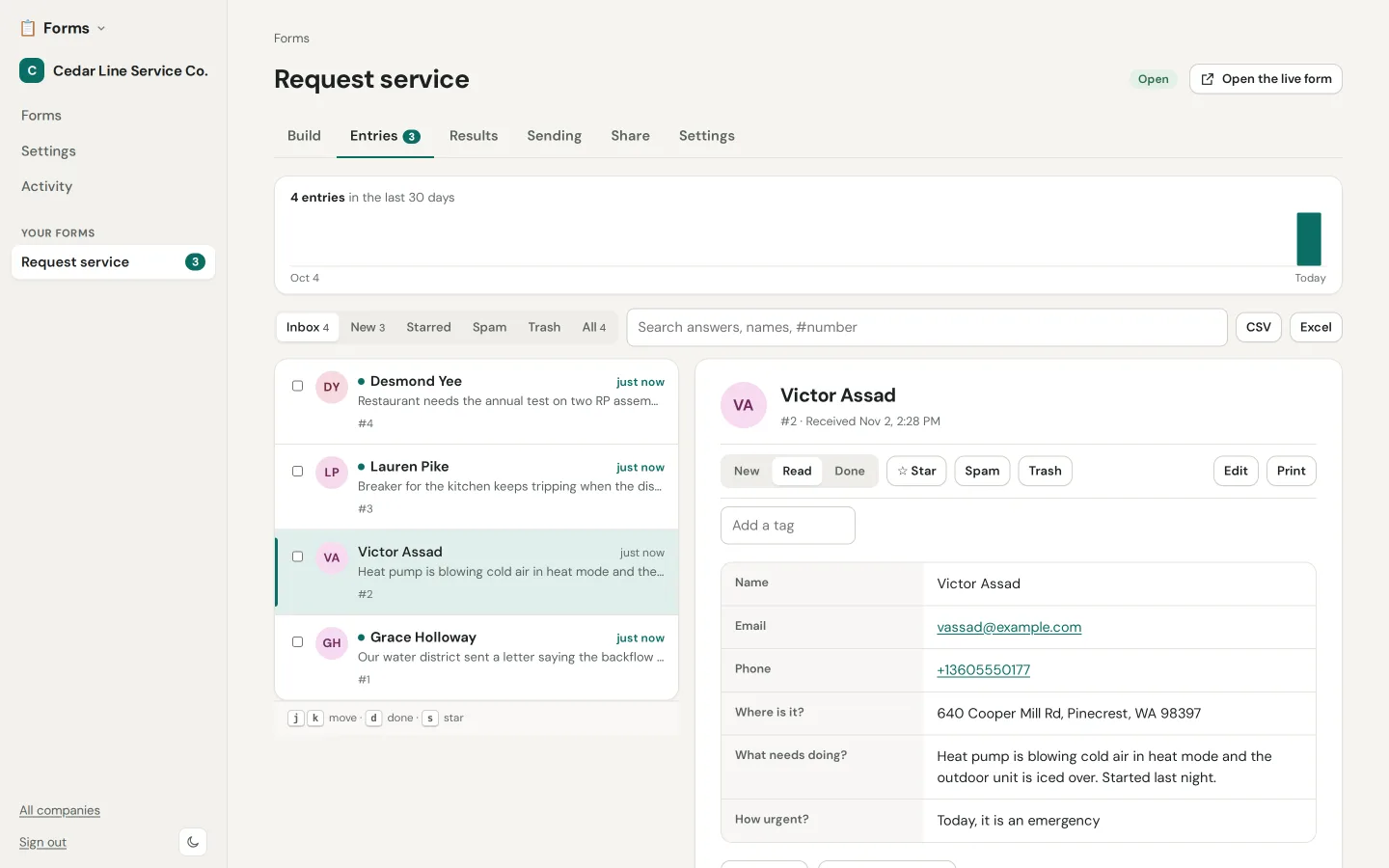
A service request from the website form, open in the Hoq Forms inbox. A quote
Quote one price or up to three options. The customer approves by typing their name on the quote's page, and you can ask for a deposit.
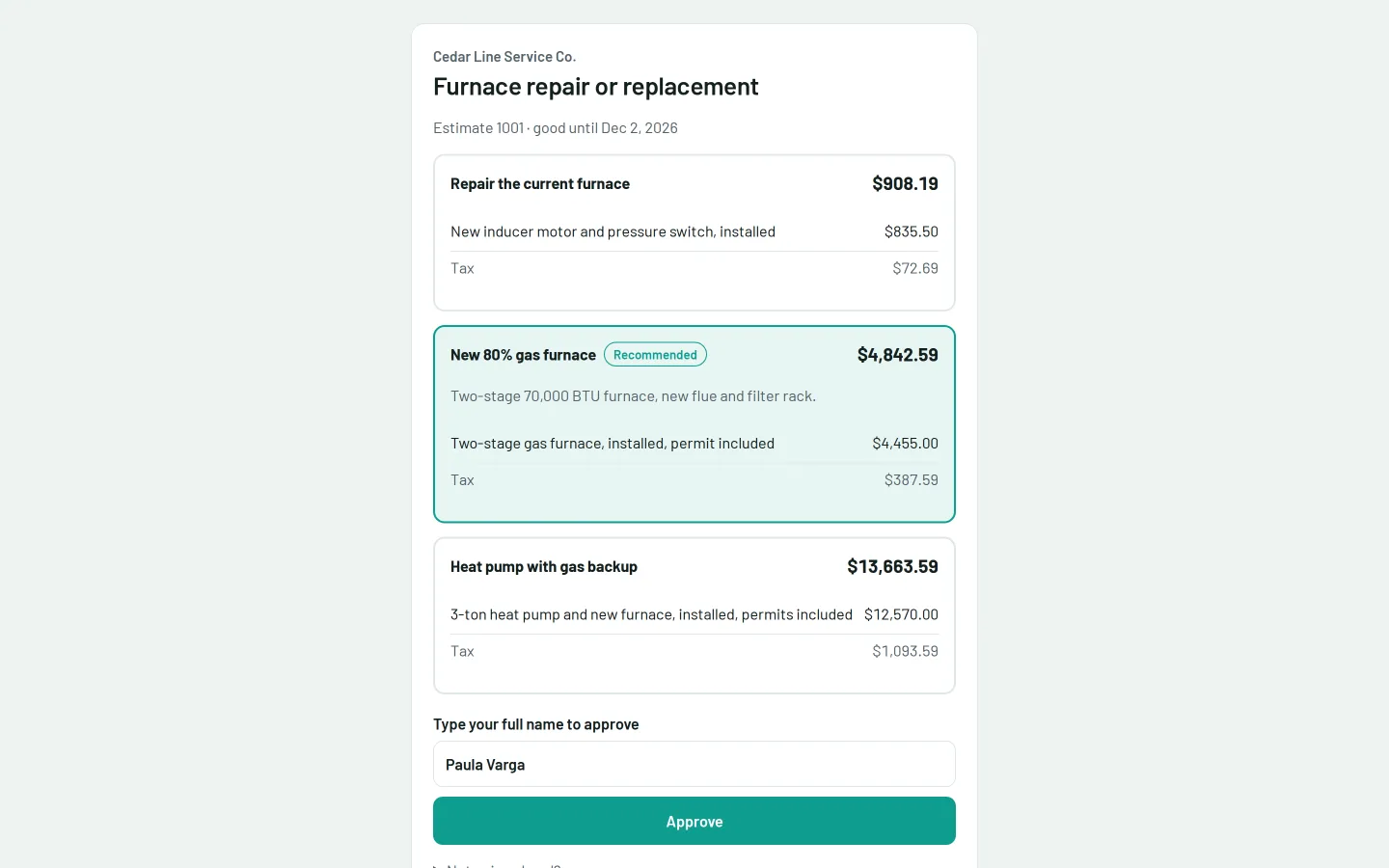
A quote with three options as the customer sees it, approved by typing a name. Invoice
Invoices go by email with a Pay button. Card payments go to your own payment account, connected in Hoq Funds, and checks and cash are recorded too. Every invoice and payment can be sent on to Hoq Books.
Reminders
Customers are emailed before their equipment comes due, with a link to pick a time, and once more if it goes overdue.
Next week
Publish the week, and everyone gets their shifts on their phone. Crew will not schedule someone into a role that needs a certificate they do not have.
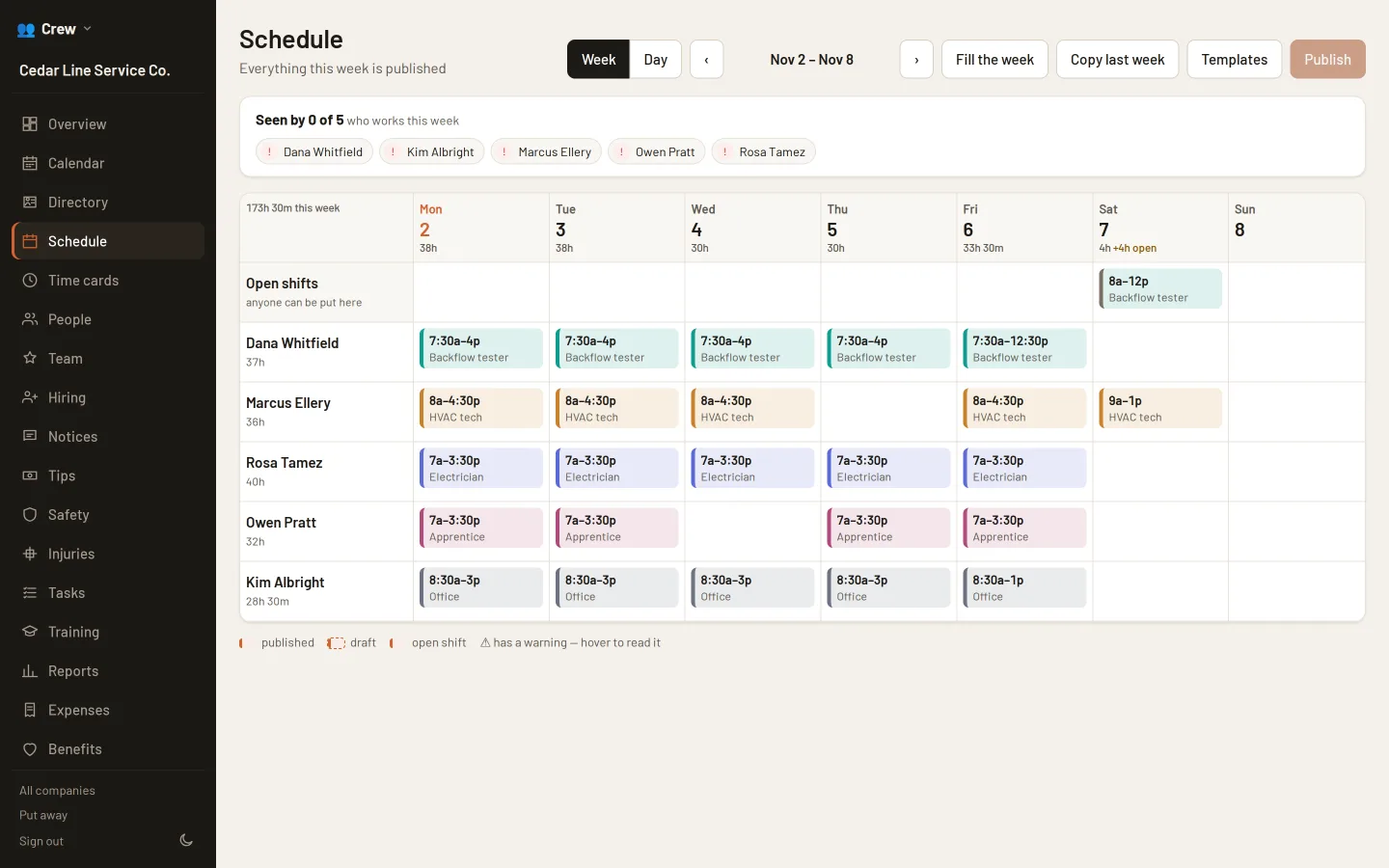
The crew's published week, with shifts by trade and an open Saturday shift. Payroll
Close the pay period and download the file Gusto or ADP takes, with mileage paid back at the IRS rate. Crew also totals Washington L&I hours by risk class.
The apps on this page
Each app works on its own. To link two, open one and pick the other from a list.
- Hoq Service BetaCustomers, their equipment and its due dates, jobs, quotes and invoices.
- Hoq Crew BetaSchedules, time cards, tips and payroll files for hourly crews.
- Hoq Forms BetaForms for your site and customers, with every entry kept and routed.
- Hoq Books BetaDouble-entry books for one company: invoices, bills, bank feeds and reports.
- Hoq Funds LiveGift cards, store credit and your payment accounts, shared by every till.