Build on Hoq
Git hosting, SQLite databases, coding agents on our servers and your own terminals on your phone. These are the tools we build the Hoq apps with. Agents get their own keys, limited to what you choose, and their work arrives for a person to review.
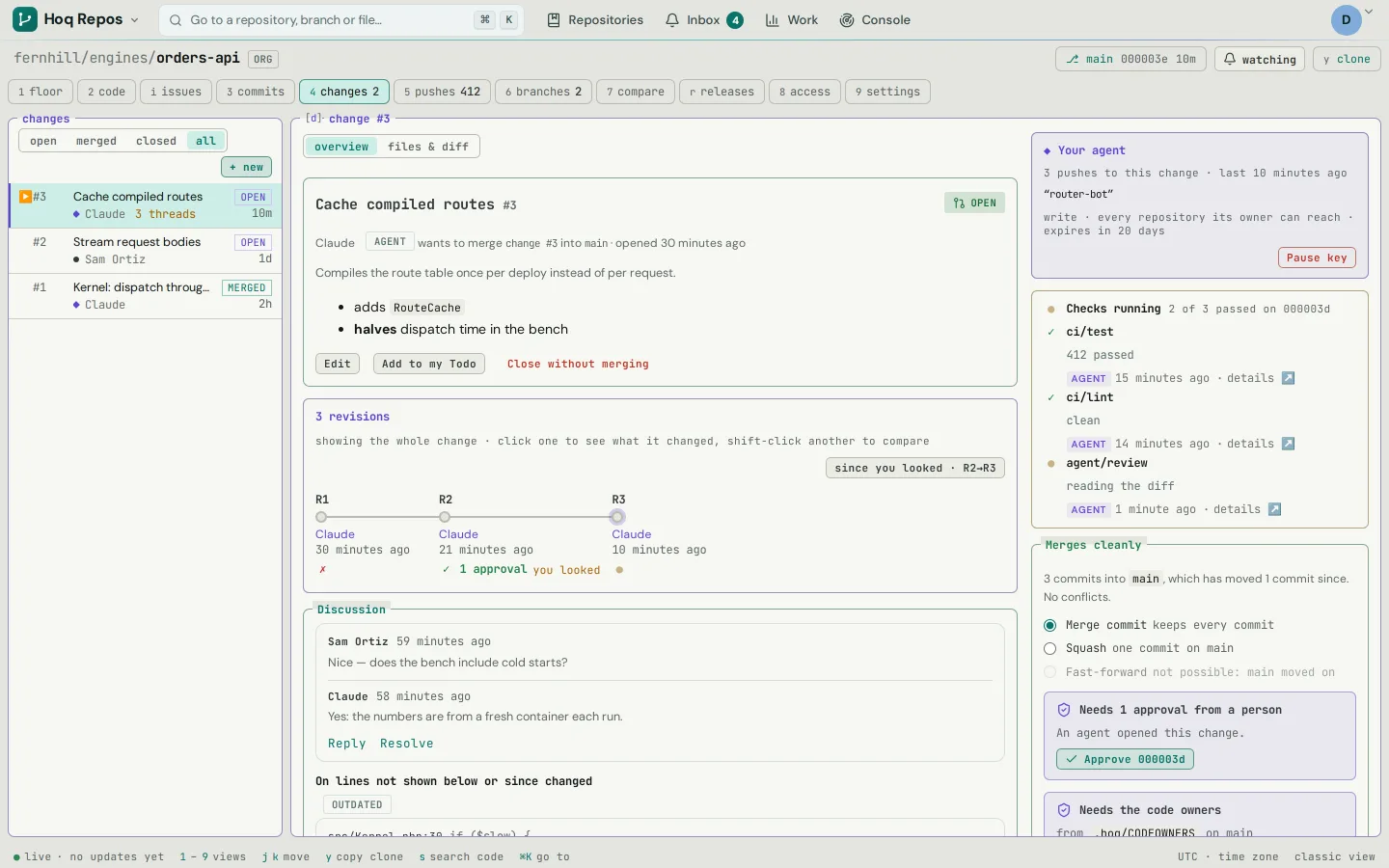
A day of building
Each part of the day, and the tool that handles it.
Repositories
Push over SSH or HTTPS to git.hoq.app and browse code, commits and blame at repo.hoq.app. Every accepted push is kept, so you can put a branch back to how it was at any push, with a preview first.
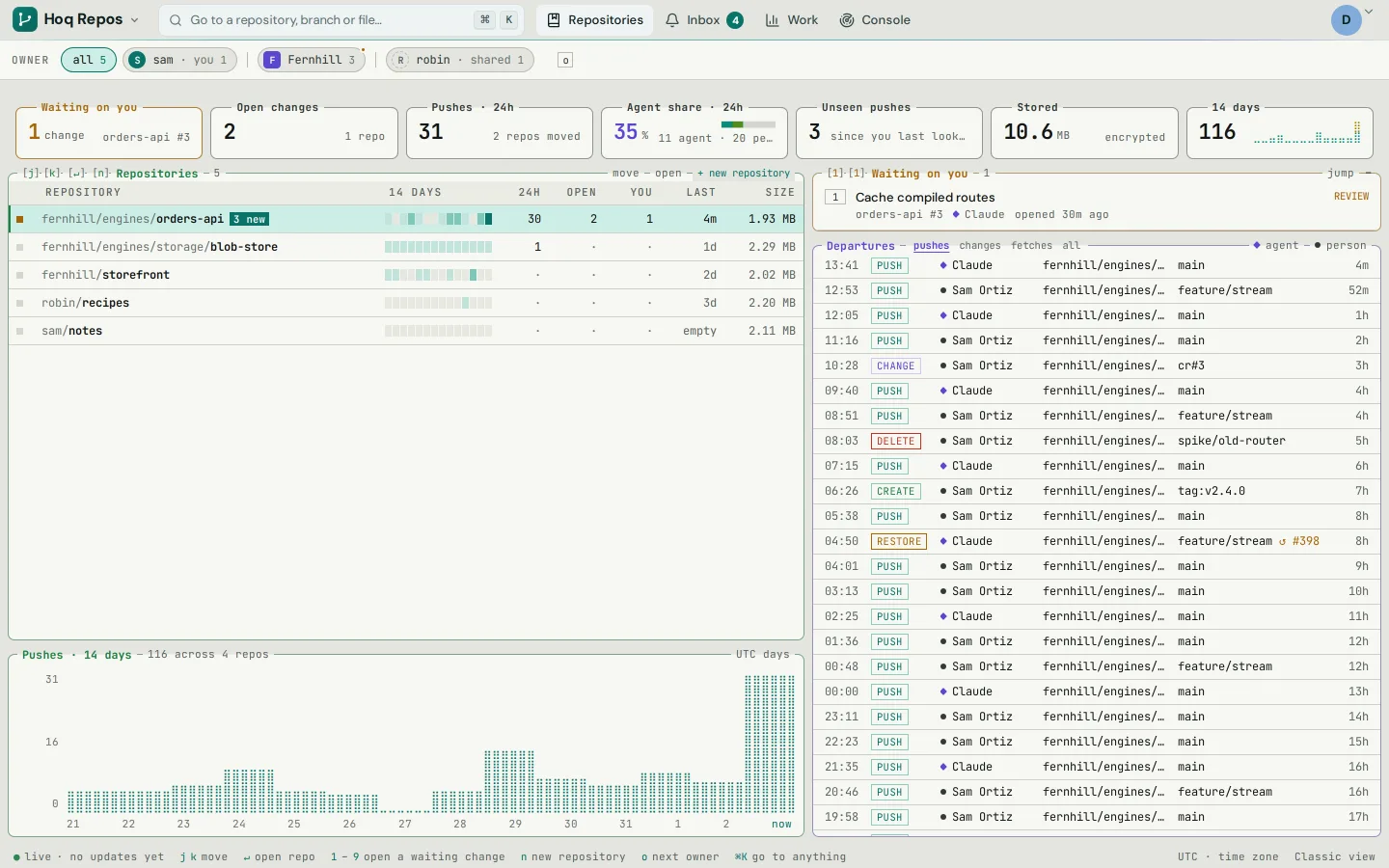
A small company's repositories, with pushes from people and from an agent in the last day. A key for an agent
Give an agent its own key with its own name, limited to the repositories you choose. On a protected branch its work arrives as a change for a person to approve. A push that adds what looks like a live secret is refused, and an agent key cannot push past it. You can pause every agent at once.
A database
Make a SQLite database and reach it over HTTPS, with the libSQL clients and Drizzle, with any Redis client, or from an agent over MCP. A key can be read-only or limited to named tables, and SQLite refuses everything else.
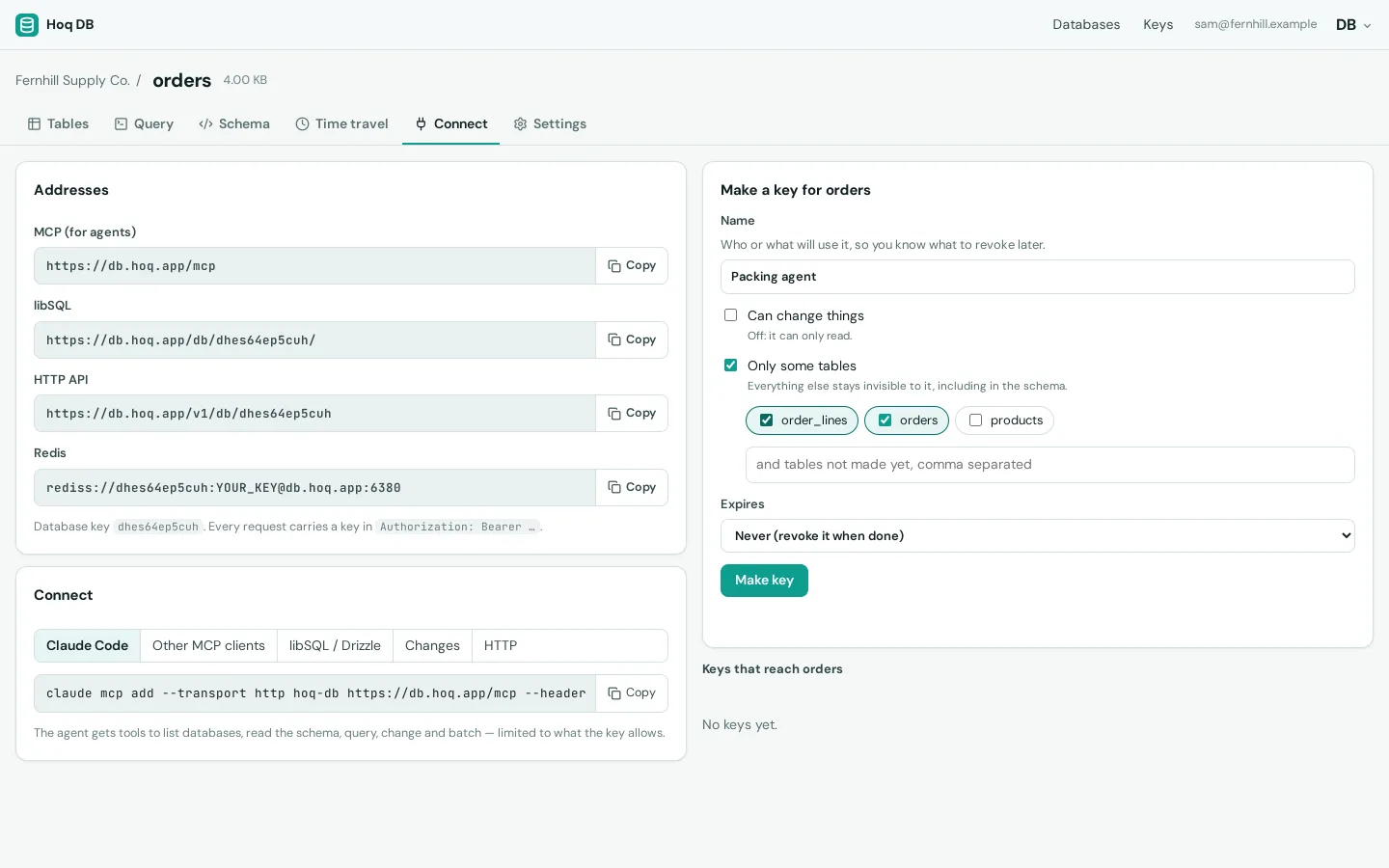
A database's addresses for MCP, libSQL, HTTP and Redis, and a read-only key being made for two of its tables. An agent on our servers
Start Claude Code, or an agent on Hoq Intelligence models, in a terminal on a Hoq server. Give it work, close the tab, and it keeps going. It can have its own browser, which you can watch and take over.
Your own machines
Add a Linux or Mac machine with one command, and its tmux sessions show up in one list in your browser and on your phone. When Claude Code needs permission, you get a notification and can answer Allow or Deny from it. Every connection is encrypted end to end, and nothing on the machine listens to the internet.

A Claude Code session asking to run a database migration, answered from a phone. Models
Point an existing OpenAI or Anthropic SDK at ai.hoq.app by changing the base URL and the key. Ask for a role such as hoq/fast or hoq/reasoning instead of a model name, and repoint the role later without changing your code.
A private network
Put your servers, laptops and phones on one private network over WireGuard, using the open-source Tailscale client. A Linux server joins with one command. Write access rules with groups and tags, and test a rule before it goes live.
Tests
GitHub Actions workflows run on runners you add, and each job reports a check on the commit. A protected branch can require checks to pass before a change merges. CI is in beta.
Going back
Fork a database as it was at any change or moment in the last 30 days. The copy sits beside the original, so nothing is rewound.
Your own apps
Your programs reach Hoq apps with API keys that carry named scopes. 19 Hoq apps also have an MCP server, so an agent can work in them with only the permissions its key carries.
The apps on this page
Each app works on its own. To link two, open one and pick the other from a list.
- Hoq Repos LiveGit hosting where AI agents get their own keys, limited to repositories you choose.
- Hoq DB LiveSQLite databases over HTTP, libSQL and Redis, with 30 days of history.
- Hoq Agents LiveCoding agents in a server terminal that keep running after you close the tab.
- Hoq Term LiveEvery terminal session on every machine you own, in one browser list.
- Hoq Intelligence LiveOne API key for many models, in the OpenAI and Anthropic formats.
- Hoq Connect LiveA private network between your machines, built on WireGuard and the Tailscale client.
- Hoq ID and platform LiveOne sign-in, one organization and one drive across every Hoq app.